
Rapid Pass
1 Hour Ago
65 MB
3.0.1
Android 5.0 and above
1M+

Description
Public transport becomes much easier when passengers can manage important travel information from their phones. Rapid Pass APK is designed for this purpose. It gives users in Bangladesh a simple mobile way to work with their RapidPass or MRT Pass card and access useful transport features.
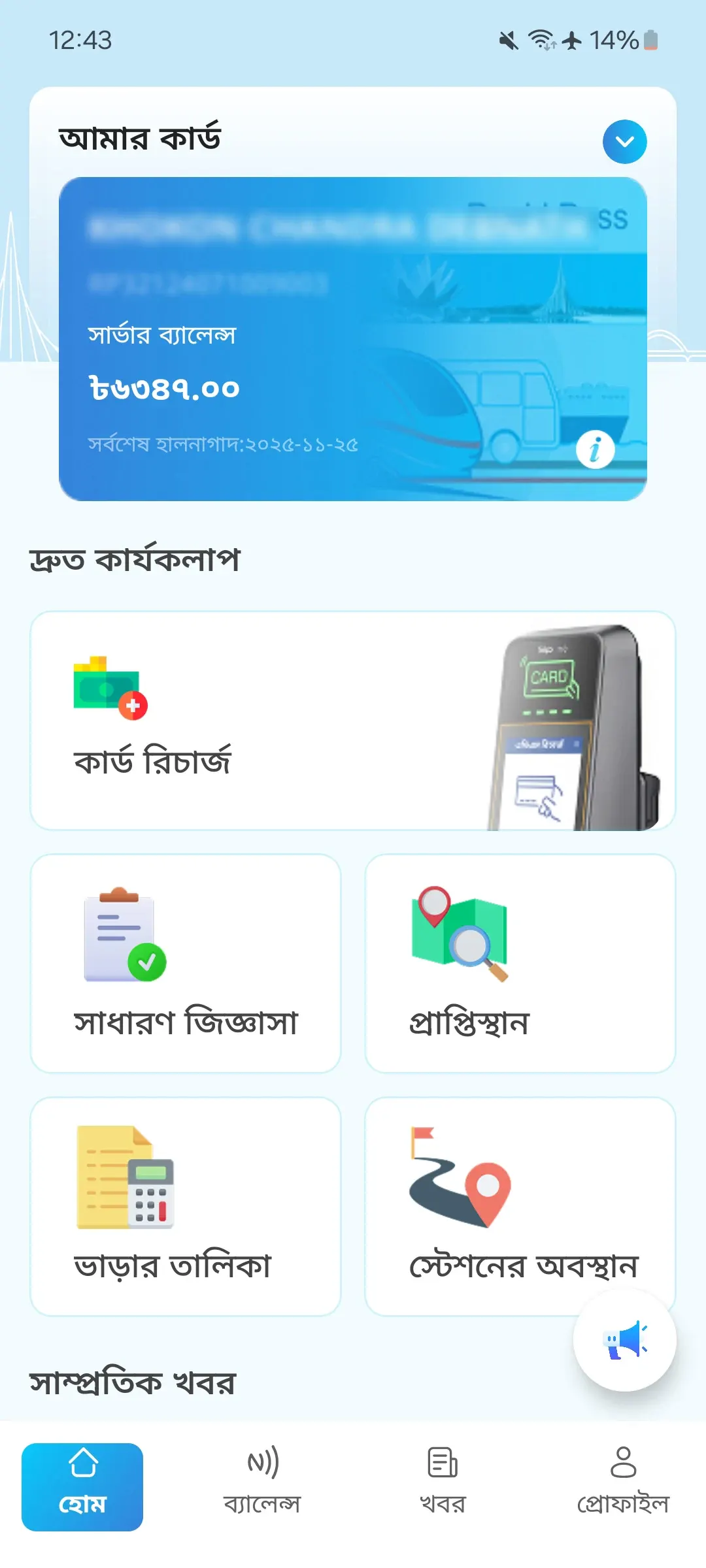
The app is especially helpful for people who travel through Dhaka and use Metro Rail regularly. Users can check card information, view their balance on supported NFC phones, recharge online, review transactions, and find useful fare and station information.
Instead of carrying a transport card without knowing its current details, passengers can use the app as a digital companion for everyday travel. The features are organized around practical tasks, which makes the Rapid Pass app useful for both regular commuters and people who only travel occasionally.
For users in Bangladesh who enjoy useful mobile tools, CHATGO is another option worth exploring. It offers AI-powered chat, writing, image creation, and everyday assistance directly on Android devices.
What is Rapid Pass APK?
RapidPass is an official transport app from the Dhaka Transport Coordination Authority (DTCA). It is connected with Bangladesh’s smart public transport payment system and provides mobile tools for managing supported transport cards.
The application works with Rapid Pass and MRT Pass. This is particularly useful for Metro Rail passengers because important card information and travel tools can be accessed from the same Android application.
How the App Helps
The biggest advantage of RapidPass is convenience. A transport card may look simple, but regular passengers often need to check its balance, recharge it, review transactions, or find travel information.
It brings these tasks closer to the user. Instead of treating the physical card and mobile information as completely separate things, the app connects useful digital features with the passenger’s card. This can save time, especially for people who travel frequently.
Main Features of Rapid Pass Android
Card Support
The app supports both Rapid Pass and MRT Pass cards. Users can therefore access relevant mobile features without needing a different app for each supported card. Having card information connected with a mobile app also makes it easier to check important details before starting a journey.
NFC Balance Check
One of the most useful features is NFC balance checking. If an Android phone has NFC support, users can use the phone to read their transport card and check its balance. This can be convenient before travelling. A passenger can check whether enough balance remains on the card instead of discovering a low balance when reaching the station.
Online Recharge
Plus, this helpful app also provides an online recharge facility. Users can begin the recharge process from their phones, which reduces the amount of work that needs to be completed at a station. There is an important final step. After completing an online recharge, the passenger needs to tap the card on an AVM machine at a Metro Rail station so the updated value can be applied to the physical card.
Travel History
Regular passengers may want to look back at their previous journeys. The travel history feature provides a convenient place to review available journey information. This is useful for people who use public transport frequently and want a clearer record of their card activity.
Transaction Records
The Bengali app also keeps transaction information accessible through the app. Users can review available records instead of trying to remember every previous card transaction. This becomes particularly helpful after a recharge or other balance-related activity.
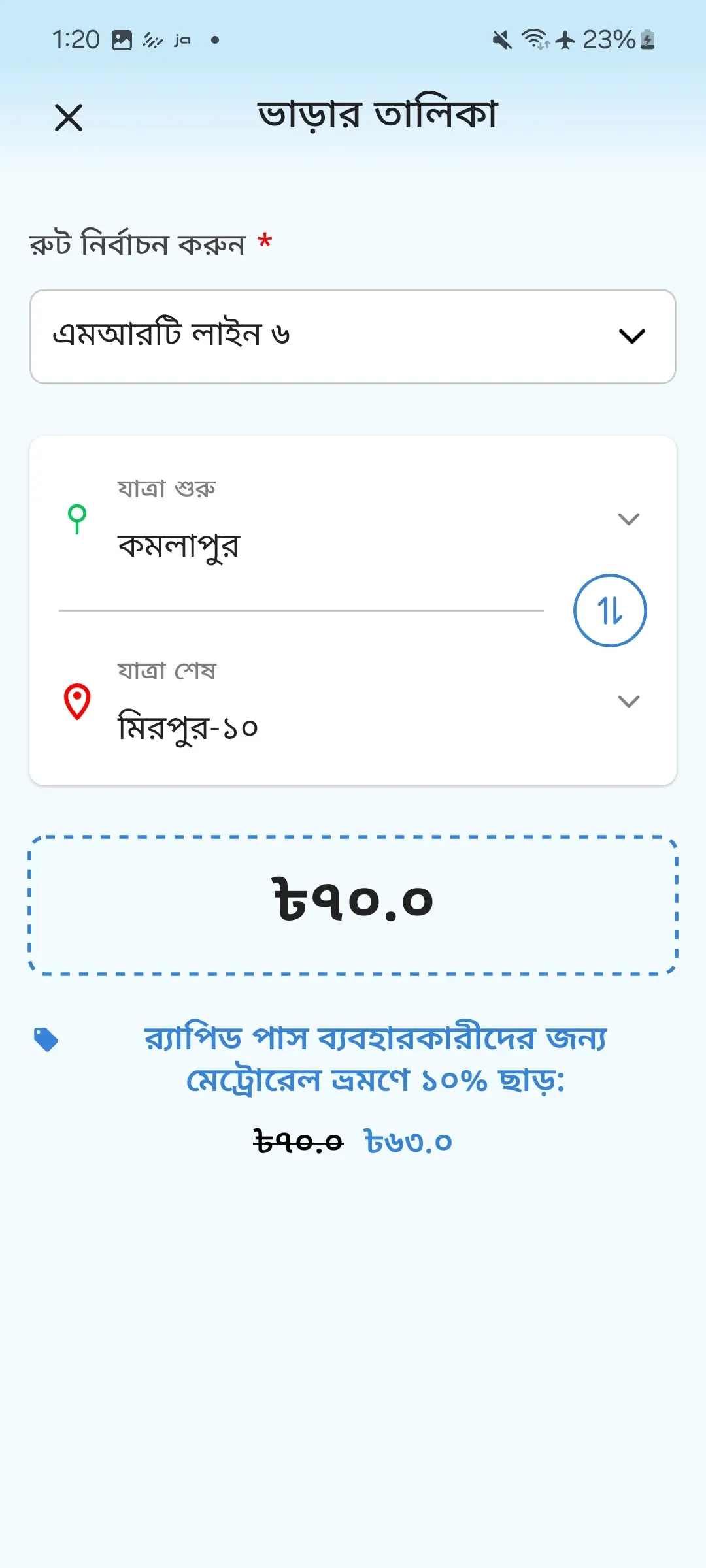
Fare Chart
Passengers often want to know the fare before starting a journey. The Fare Chart feature gives users useful fare information directly through the app. Checking the fare in advance can also help someone who is travelling between two stations for the first time.
Station Location
The Rapid Pass app includes station-location information. This can help new Metro Rail users or passengers travelling through an unfamiliar part of Dhaka. Combining station information with the fare chart makes the app useful for basic journey planning as well as card management.
Travel Updates
The app can also provide transport-related information and updates. This gives passengers another reason to check the Rapid Pass before travelling. Instead of using the app only when the card needs attention, users can also explore current travel information when needed.
Rapid Pass and MRT Pass
Rapid Pass and MRT Pass are easy to confuse because both can be connected with Metro Rail travel. However, users do not necessarily need separate mobile applications to access the available digital features.
The official application supports both card types. This makes the app relevant to people who already have an MRT Pass as well as those using a Rapid Pass card. Users should select and manage the correct card information when setting up the app.
Download Rapid Pass APK for Android
Android users can install this app on a compatible smartphone. Because this is an official transport application, users should make sure they are installing the correct app from DTCA.
Follow these steps:
- Open the app source on your Android phone.
- Search for this app.
- Check the app name and developer information.
- Select the official application.
- Tap Install or download the current APK.
- Wait for the file to finish downloading.
- Complete the installation.
- Find the app on your phone.
- Open the application.
- Continue with the account and card setup.
Add Your Card
After installing the app, users can connect their supported transport card with the available mobile features.
- Open Rapid Pass.
- Enter your account when required.
- Find the card section.
- Choose the option to add a card.
- Select the appropriate card type.
- Enter the requested information.
- Check the card details.
- Complete any required verification.
- Save the card.
- Return to the main screen.
Once the card is properly added, users can explore the features available for it.
Check Card Balance
An NFC-compatible phone makes balance checking particularly convenient. NFC allows the phone to communicate with the physical card when the two are placed close together.
To check the balance:
- Turn on NFC from your phone settings.
- Open the application.
- Find the card or balance section.
- Select the NFC reading option.
- Place the card near the phone.
- Hold it still for a moment.
- Wait for the card to be detected.
- Check the displayed information.
The NFC sensor is not located in exactly the same place on every Android phone. If the card is not detected immediately, move it slowly around the back of the device.
Recharge Your Card
Online recharge allows users to begin adding balance without completing the whole process manually at a counter.
The usual flow is
- Open Rapid Pass.
- Select your card.
- Find the recharge section.
- Choose the required amount.
- Review the recharge information.
- Follow the displayed payment process.
- Complete the online transaction.
- Visit a Metro Rail station.
- Find an AVM machine.
- Tap your card as instructed.
- Allow the recharge to update on the card.
The final AVM tap is important. Completing the online payment alone does not replace the step required to update the physical card.
Using an AVM
An AVM helps connect certain digital card actions with the physical transport card. Passengers can find these machines at Metro Rail stations.
After making an online recharge, follow the instructions on the machine and place or tap the card where indicated. Give the machine enough time to process the card before removing it. Afterward, users can check the updated information again.
Other Recharge Options
Mobile recharge is useful, but passengers are not limited to one method. Rapid Pass also allows users to find physical recharge facilities through supported transport locations and designated service points.
This flexibility can be useful in different situations. Someone travelling through a Metro Rail station may prefer using the available station facility, while another passenger may find it easier to start the process from a phone.
Check Your Travel History
Travel history is more useful than it may first appear. Someone who travels several times during a week may not remember every journey or card activity.
The app gives users a convenient place to review the available information connected with previous travel.
Transaction history can also help users understand when their card balance changed. Looking at these records occasionally is a simple way to keep card activity organized.
Plan Your Journey
The app is not limited to balance and recharge tools. Fare and station information make it useful before a journey begins.
A passenger can check the relevant station information, look at the available fare details, and then make sure the card has enough balance. For someone using Dhaka Metro for the first time, checking these details beforehand can make the trip much easier to understand.
Using Rapid Pass Daily
Regular commuters can get more value from the app by using it before they reach the station.
For example, checking the balance at home can tell a passenger whether a recharge may be needed. Looking at fare information can help when travelling on an unfamiliar route, while transaction history provides a reference after previous journeys.
This makes the app useful both before and after a trip rather than only when something needs to be changed on the card.
Helpful User Tips
A few simple habits can make the app easier to use:
- Check your balance before an important journey.
- Keep the app updated.
- Learn where your phone’s NFC sensor is located.
- Make sure NFC is enabled before reading a card.
- Check your card details carefully.
- Remember the AVM step after an online recharge.
- Review transaction information when needed.
- Check fare details for unfamiliar journeys.
- Use station information when visiting a new location.
- Keep your phone and account access secure.
Useful App Areas
| App Area | Main Use |
|---|---|
| Card | Manage supported card information |
| Balance | Check available card balance |
| NFC | Read a card with a compatible phone |
| Recharge | Start an online recharge |
| History | Review previous activity |
| Fare Chart | Check travel fare information |
| Stations | Find useful station details |
| News | View transport updates |
| Profile | Manage account information |
| Help | Find guidance when needed |
Why It Helps in Bangladesh
Rapid Pass has a clear local purpose. It is designed around Bangladesh’s public transport environment rather than providing generic transport information for many countries.
For Dhaka commuters, this means the app can become part of the normal travel routine. A passenger can check card information from a phone, prepare for a recharge, look at fare details, and find useful station information before leaving.
Safe App Use
Because Rapid Pass deals with personal account and card-related information, users should keep their account details private. A phone screen lock and a strong account password can provide additional protection.
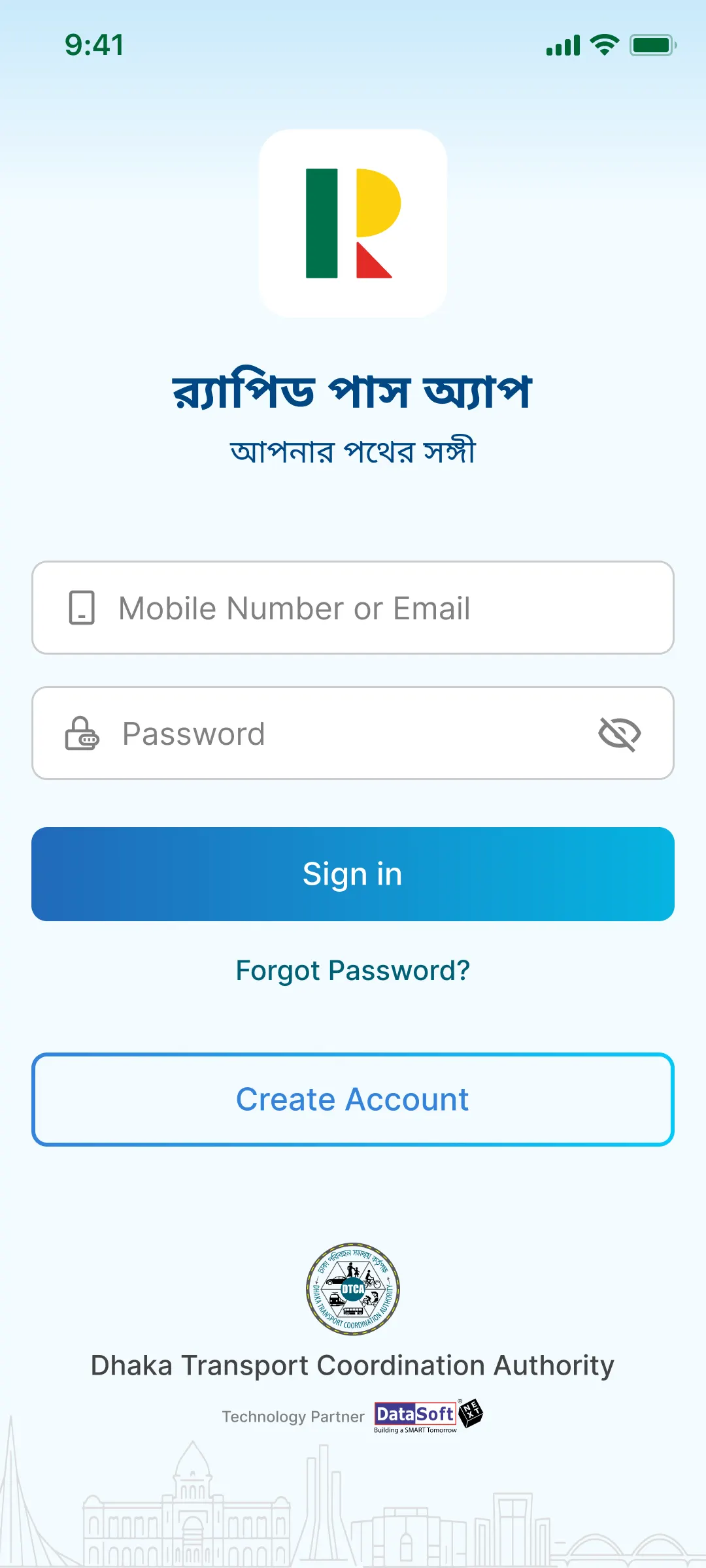
Users should also make sure they install the official application rather than confusing it with an unrelated transport utility carrying a similar name. When entering card information or completing a recharge, checking the details before confirmation can prevent simple mistakes.
Pros and Cons
Pros
- Official DTCA transport application.
- Supports Rapid Pass.
- Supports MRT Pass.
- NFC balance checking.
- Online recharge facility.
- Travel history.
- Transaction information.
- Fare chart.
- Station information.
- Useful for Dhaka Metro passengers.
- Mobile-friendly interface.
Cons
- NFC features require a compatible phone.
- Online recharge requires an additional AVM step.
- Internet is needed for online features.
- Some features require initial setup.
- New Metro users may need time to understand the card system.
Who Should Use It?
Rapid Pass is useful for people who travel regularly on Dhaka Metro Rail and other supported public transport services. It is particularly practical for passengers who already use a Rapid Pass or MRT Pass card.
Occasional passengers can benefit as well. Fare information, station details, balance checking, and travel records can make unfamiliar journeys easier to manage.
Conclusion
Rapid Pass APK gives Bangladeshi commuters a practical way to connect their transport card with useful mobile tools. Support for Rapid Pass and MRT Pass, NFC balance checking, online recharge, transaction records, fare information, and station details brings several everyday travel needs together.
The app becomes especially useful when passengers learn how its features work together. Check the card before travelling, use NFC when a quick balance check is needed, remember to complete online recharge through an AVM, and use the fare and station tools when planning a new journey. For regular Dhaka commuters, these small conveniences can make public transport easier to manage.
FAQs
The official app is provided by the Dhaka Transport Coordination Authority, commonly known as DTCA.
Yes. The application supports both Rapid Pass and MRT Pass cards.
Yes, balance checking is available through NFC on compatible Android phones.
No. The smartphone needs NFC hardware for the NFC reading feature to work.
Yes. The app supports online recharge, followed by the required card update through an AVM at a Metro Rail station.
Download links
How to install Rapid Pass APK?
1. Tap the downloaded Rapid Pass APK file.
2. Touch install.
3. Follow the steps on the screen.







