
Nagad
1 Hour Ago
65 MB
1.5
Android 5.0 and above
40M+

Description
Nagad is a popular mobile financial service app in Bangladesh that helps users send money, recharge mobile phones, pay bills, and manage everyday transactions. With its simple design and useful digital payment features, Nagad makes it convenient to handle financial activities directly from an Android smartphone.
Whether you want to download the latest Nagad app, create a new account, check your balance, or transfer money, the app brings several essential services together. This guide explains the app features, Android installation, registration, cash-in, cash-out, and other useful options for Bangladeshi users.
What Is Nagad APK?
Nagad is a mobile financial service in Bangladesh that allows users to manage money through their mobile phones. The platform supports everyday financial activities, including sending money, receiving funds, mobile recharge, merchant payments, and utility bill payments.
The Nagad App provides a digital wallet experience for Android users. Instead of visiting a physical service point for every transaction, users can complete many payment activities from their smartphones.
Nagad also has a network of agents and merchant payment services across Bangladesh. This makes the app useful for students, workers, small business owners, and people who regularly use digital payments. You can also download the bKash app.
Key Features of Nagad App
Nagad includes several practical features designed to make daily financial transactions easier.
Easy Money Transfers
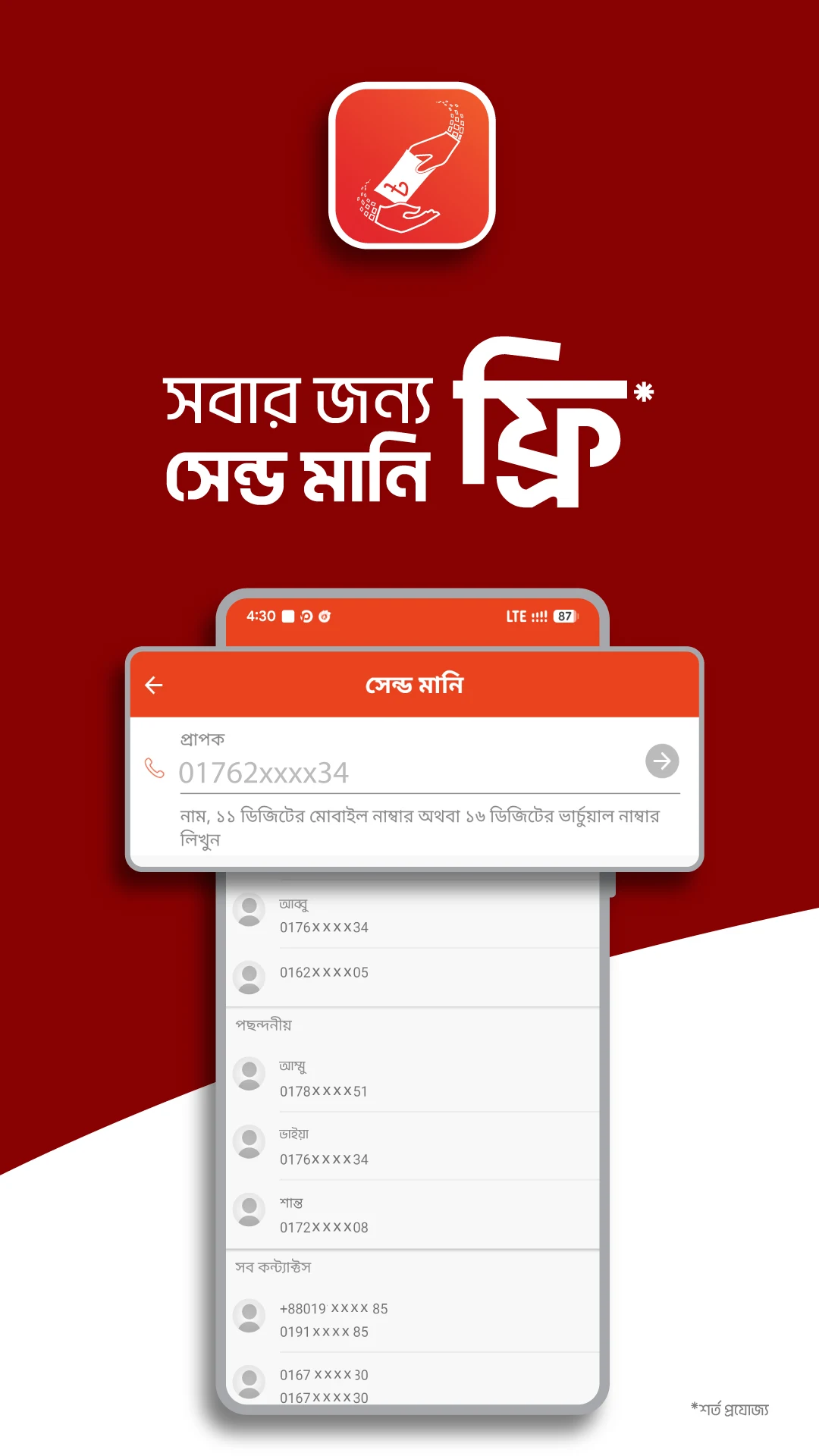
Users can send money to eligible Nagad accounts through the app. The process is simple, and transaction details appear before confirmation.
Mobile Recharge
Nagad allows users to recharge supported mobile numbers in Bangladesh. Users can select their mobile operator, enter the recharge amount, and complete the payment from their wallet.
Cash-In and Cash-Out
Users can add money to their Nagad wallets and withdraw available funds through supported agents and other eligible channels. Transaction fees and limits depend on the selected service.
Utility Bill Payments
The app offers bill payment options for supported service providers. Users can manage eligible electricity, internet, and other bills without making separate visits to payment counters.
Merchant Payments
Nagad supports payments to participating merchants. This feature is useful for shopping and other everyday purchases where Nagad payments are accepted.
Transaction History
The app provides access to recent wallet activities. Users can review completed transactions and keep track of their spending.
Account Security
Nagad uses account authentication and PIN-based transaction controls to help protect wallet activities. Users can manage their accounts more confidently by keeping their login information private.
Nagad APK App Details
| App Information | Details |
|---|---|
| App Name | Nagad |
| App Category | Finance |
| Country | Bangladesh |
| Platform | Android |
| File Format | APK |
| Primary Language | Bangla and English |
| Main Services | Send Money, Cash-Out, Recharge, Bill Payment |
| Account Requirement | Eligible Mobile Number and Identity Verification |
| App Price | Free to Download |
| Internet | Required for App-Based Services |
How to Download Nagad APK on Android?
Downloading the Nagad App is straightforward. Android users can follow these steps to get started.
- Open the Google Play Store on your Android phone.
- Search for Nagad.
- Find the official Nagad mobile financial service app.
- Tap the Install button.
- Wait for the installation to finish.
- Open the Nagad App from your home screen.
- Follow the instructions to register or log in.
For APK installation, use only an authentic file supplied through an official Nagad channel. This helps protect your account and personal information.
How to Create a Nagad Account?
New users can register for Nagad by following the available account-opening process.
- Download and open the Nagad App.
- Select the registration option.
- Enter your eligible Bangladeshi mobile number.
- Complete the mobile number verification process.
- Provide the required identity information.
- Follow the identity verification instructions.
- Create your secure account PIN.
- Complete registration and access your Nagad wallet.
Once the account is active, users can explore the available financial services.
Easy Steps to Login
Existing Nagad users can access their accounts with a few simple steps.
- Open the Nagad App.
- Enter or select your registered mobile number.
- Complete any required verification.
- Enter your Nagad PIN.
- Access your wallet dashboard.
The dashboard allows users to check their balance, review transactions, and choose available payment services.
How to Add Money to Nagad Wallet?
Nagad offers cash-in and other supported wallet funding options. Users can select a method based on their needs.
- Visit an authorized Nagad agent or choose an available add-money service.
- Provide the required account details.
- Enter or confirm the amount.
- Follow the instructions for the selected funding method.
- Check the transaction confirmation.
- Review the updated wallet balance.
The availability of bank transfers, card-based funding, and other options depends on current Nagad services and account eligibility.
How to Send Money Using Nagad?
Sending money is one of the main features of the Nagad App.
- Open the app and log in.
- Select Send Money.
- Enter the recipient’s Nagad number.
- Enter the amount you want to transfer.
- Review the recipient details and applicable charges.
- Confirm the transfer using your PIN.
- Save the transaction confirmation for your records.
Always review the recipient’s number before completing a transfer.
Withdraw or Send Money Using Nagad
Nagad users can withdraw their available wallet balance through supported cash-out channels.
- Open your Nagad account.
- Select the Cash Out option.
- Choose the available withdrawal method.
- Enter the required agent or service details.
- Provide the withdrawal amount.
- Review the charges and transaction information.
- Confirm the transaction securely.
- Collect your cash after successful processing.
Users should check the latest cash-out charges and transaction limits before confirming a withdrawal.
Nagad Offers and Cashback Rewards
Nagad provides promotional offers that can make everyday payments more rewarding. Eligible users may receive cashback, discounts, or special benefits when using selected services.
Some promotions include mobile recharge offers, merchant payment discounts, and Send Money cashback. Each campaign has its own conditions, so users can check the latest offers inside the app before making a transaction.
Nagad App for Online Payments in Bangladesh
Nagad is useful for people who regularly make digital payments. Many Bangladeshi users prefer mobile wallets because they can manage transactions without carrying cash.
The app supports QR payments at participating shops and payments at eligible online merchants. Users can also pay supported bills and recharge their mobile phones from the same account.
For readers who enjoy exploring mobile financial services, our bKash APK guide also explains another popular digital wallet in Bangladesh. Both apps provide useful features for everyday money management.
Safety Tips for Nagad Users
Following a few simple habits can help users enjoy a safer mobile banking experience.
| Safety Tip | Benefits |
|---|---|
| Use the official app | Helps protect your financial information |
| Keep your PIN private | Protects account access |
| Check recipient numbers | Helps prevent incorrect transfers |
| Review transaction details | Makes payments easier to track |
| Keep the app updated | Provides the latest improvements |
| Never share OTP codes | Helps prevent unauthorized access |
| Check transaction history | Helps monitor wallet activities |
Pros and Cons
| Pros | Cons |
|---|---|
| Easy Android interface | Internet needed for app features |
| Send Money service | Transaction limits apply |
| Mobile recharge options | Some services include fees |
| Cash-in and cash-out facilities | Cash-out requires an eligible channel |
| Bill and merchant payments | Merchant support varies |
| Bangla and English interface | Account verification is required |
| Cashback and special offers | Promotions have eligibility conditions |
Conclusion
Nagad APK is a useful Android finance app for people in Bangladesh who want to manage everyday payments from their smartphones. From sending money and mobile recharge to bill payments and cash withdrawals, the platform brings important financial services together in one place.
Its simple interface, digital wallet features, and promotional offers make Nagad a practical choice for daily transactions. Users can install the official Nagad App, complete registration, and explore the available services according to their needs.
FAQs
Yes, the official Nagad app is free to download on Android devices. Some financial transactions may include service charges.
Yes, eligible users can register through the Nagad App by providing the required identity details, completing verification, and creating a secure PIN.
Yes, Nagad provides cashback and promotional offers for selected transactions. Users can explore current campaigns and eligibility details inside the app.
Yes, Nagad is available for compatible Android smartphones. Users can install the latest supported version and access its digital financial services.
The app is used for mobile financial services in Bangladesh, including money transfers, mobile recharge, bill payments, merchant payments, and wallet management.
Download links
How to install Nagad APK?
1. Tap the downloaded Nagad APK file.
2. Touch install.
3. Follow the steps on the screen.







