
OK Wallet App Download (Digital Money Apk) in Bangladesh 2026
1 Hour Ago
39 MB
1.1.1
Android 5.0 and above
30M+

Description
OK Wallet is a popular mobile financial service in Bangladesh that makes everyday money management easier. Developed by ONE Bank Limited, the app allows users to send money, recharge mobile phones, pay utility bills, shop using QR payments, and manage their digital wallet from an Android smartphone. Its convenient features bring several important financial services into one place.
With OK Wallet app, Bangladeshi users can access digital payments without visiting a bank for every transaction. The app also supports cash-in, cash-out, bank transfers, and account balance checking. This guide explains its main features, Android download process, account registration, login, transaction methods, service charges, and useful tips for new users.
What Is OK Wallet App?
OK Wallet is a mobile financial service operated by ONE Bank Limited in Bangladesh. It helps users manage digital money through their smartphones and offers several payment services for personal and everyday financial needs.
The platform supports both Android and iOS devices. Moreover, registered customers can access several services using the USSD code *269#, which is useful when mobile internet access is limited.
Unlike traditional earning apps, OK Wallet focuses on digital payments and financial management. Its main purpose is to help people transfer money, make payments, and manage their funds through a convenient mobile wallet. You can also try Mehenot.
OK Wallet App Information
| App Details | Information |
|---|---|
| App Name | OK Wallet |
| Developer | ONE Bank Limited |
| Category | Finance and Mobile Banking |
| Country | Bangladesh |
| Platform | Android and iOS |
| Registration | Free |
| Currency | Bangladeshi Taka (BDT) |
| Main Services | Send Money, Cash Out, Recharge, Bill Payment |
| USSD Code | *269# |
| Account Verification | NID and e-KYC |
| Customer Support | 16269 |
| Official Website | okwallet.com.bd |
Why OK Wallet Is Useful in Bangladesh
Digital payments have become an important part of daily life in Bangladesh. People use mobile wallets for shopping, sending money to family members, paying bills, and managing personal expenses. OK Wallet brings these services together in a single application.
Another useful feature is its connection with ONE Bank. Customers can access supported bank transfer services and add money through linked bank accounts or cards. This combination of mobile convenience and banking services makes OK Wallet a practical choice for digital transactions.
Main Features of OK Wallet App
Easy Money Transfers
OK Wallet allows users to transfer money to other registered OK Wallet accounts. The mobile app supports free OK-to-OK transfers, making it useful for sending funds to family members and other wallet users.
Mobile Recharge
Users can recharge supported mobile numbers directly from their wallet. The process is simple and allows customers to manage mobile balance payments without visiting a recharge shop.
Cash-In and Cash-Out
The platform provides options to add money and withdraw cash through supported agents, ONE Bank branches, and available ATM services. These features connect digital wallet balances with everyday cash needs.
Utility Bill Payments
OK Wallet supports payments for several utility services in Bangladesh. Users can pay eligible electricity, gas, water, and telephone bills through the available payment menus.
QR Code Payments
The app includes merchant payment services that allow users to pay at supported shops. Customers can scan a QR code, review the payment details, and complete the transaction from their wallet.
Bank Account Transfers
OK Wallet supports transfers to ONE Bank accounts and eligible accounts at other banks. This feature helps users manage funds between their mobile wallet and banking services.
Add Money Facility
Users can add money through supported bank accounts, debit cards, credit cards, and authorized agents. Available options make it convenient to maintain a wallet balance.
Account Balance and History
The application provides access to wallet balances and transaction information. Users can review completed payments and keep track of their digital money activities.
Financial Services Available on OK Wallet
OK Wallet offers different financial services for everyday use.
| Service | Main Purpose |
|---|---|
| Send Money | Transfer funds to another OK Wallet |
| Cash-In | Add money to the wallet |
| Cash-Out | Withdraw cash through supported channels |
| Mobile Recharge | Recharge mobile numbers |
| Merchant Payment | Pay at supported shops |
| Utility Payment | Pay electricity, gas, and water bills |
| Bank Transfer | Transfer money to eligible bank accounts |
| Card Bill Payment | Pay supported credit card bills |
| Add Money | Fund the wallet through available methods |
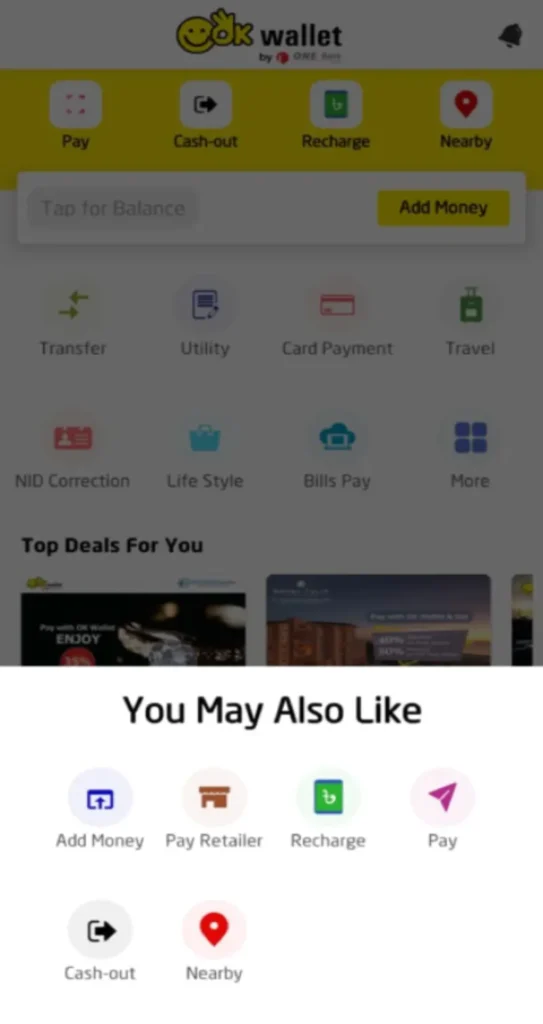
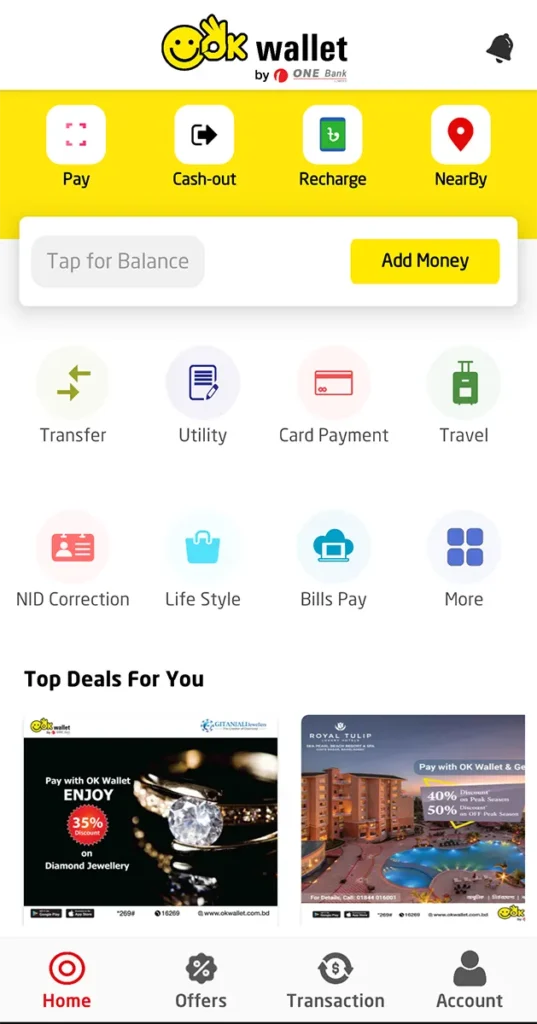
Users can choose the required service from their account dashboard and follow the displayed transaction instructions.
OK Wallet APK Download for Android
Android users can download OK Wallet directly from the Google Play Store. The official application is published by ONE Bank Limited and provides access to supported mobile financial services.
Follow these steps to download OK Wallet:
- Open the Google Play Store.
- Search for OK Wallet.
- Find the app by ONE Bank Limited.
- Open the official app listing.
- Check the application information.
- Tap the Install button.
- Wait for the download to finish.
- Open the app on your phone.
Users looking for an APK file should use the official publisher’s distribution channels. The Google Play version offers a convenient installation and update process.
How to Install OK Wallet App
Installing the application through Google Play is straightforward. Once the download finishes, Android completes the installation automatically.
After installation, open OK Wallet and follow the instructions displayed on the screen. New users can begin account registration, while existing customers can log in using their registered details.
For a smooth experience, keep your Android phone updated and maintain a stable internet connection.
OK Wallet Account Registration Process
OK Wallet offers electronic Know Your Customer (e-KYC) registration. This allows eligible Bangladeshi users to create an account through the application using their National Identity Card and a live photograph.
Follow these steps to register:
- Download and open OK Wallet.
- Select the account registration option.
- Enter your mobile number.
- Follow the mobile verification instructions.
- Provide your NID information.
- Capture the required live photograph.
- Complete the e-KYC form.
- Create your account PIN.
- Submit the registration details.
- Follow the activation confirmation.
Bangladeshi citizens aged 18 or older with valid identification can apply for an account. Registration is free, and users can also receive assistance at authorized OK Wallet agent points or ONE Bank branches.
How to Log In to OK Wallet App
Registered users can access their accounts using the official application. The login system uses account verification to help protect wallet information.
- Open the app on your phone.
- Select the Login option.
- Enter the requested account details.
- Provide your registered PIN.
- Complete OTP verification when required.
- Open your wallet dashboard.
After logging in, users can check their balance, send money, recharge mobile numbers, and explore available payment services.
How to Add Money to OK Wallet
Adding money helps users maintain a wallet balance for payments and transfers. OK Wallet supports several funding options, including eligible bank accounts, cards, and agent services.
- Log in to your OK Wallet account.
- Open the Add Money section.
- Choose an available funding method.
- Select the linked bank account or card.
- Enter the required amount.
- Review the transaction details.
- Complete the authorization.
- Check your updated wallet balance.
Users can also visit authorized agents or ONE Bank branches to add cash to their wallets. The official tariff lists several add-on services as free.
How to Send Money Using OK Wallet
Sending money is one of the app’s main services. Registered customers can transfer funds to another OK Wallet account through the mobile application.
- Open the OK Wallet app.
- Log in to your account.
- Select Send Money.
- Enter the recipient’s wallet number.
- Type the transfer amount.
- Review the recipient information.
- Enter your transaction PIN.
- Confirm the transfer.
- Check the confirmation message.
According to the official service tariff, OK-to-OK money transfers are free through the mobile app. The USSD transfer service carries a Tk 5 charge.
OK Wallet Cash-Out Guide
Cash-out allows users to convert their available wallet balance into cash. OK Wallet supports withdrawals through authorized agents and eligible ONE Bank facilities.
General cash-out steps:
- Open your OK Wallet account.
- Select the Cash Out option.
- Choose the available withdrawal channel.
- Enter the required amount.
- Review the transaction information.
- Authorize the transaction.
- Follow the agent or ATM instructions.
- Collect the cash and confirmation.
For agent withdrawals, customers should follow the instructions provided by the authorized agent. ONE Bank ATM withdrawals may require a temporary OTP.
OK Wallet Service Charges in Bangladesh
OK Wallet publishes a tariff for its financial services. The following table summarizes selected charges for general customers using the mobile application.
| Transaction | Service Charge |
|---|---|
| Account Registration | Free |
| Cash-In at OK Agent | Free |
| Add Money from Bank/Card | Free* |
| OK-to-OK Send Money | Free |
| Cash-Out at OK Agent | 1.70% |
| Cash-Out at ONE Bank Branch/ATM | 1% or Tk 5, whichever is higher |
| Transfer to ONE Bank Account | 0.8% or Tk 5, whichever is higher |
| Transfer to Other Bank Account | 1% or Tk 5, whichever is higher |
| Merchant Payment | Free |
| Mobile Recharge | Free |
The card-issuing bank may apply its own charges to add-money transactions.
Other services, including certain utility bills and credit card payments, have their own charges. Users can review the current tariff before completing transactions.
How to Recharge Mobile Using OK Wallet
The mobile recharge feature helps users add balance to supported mobile numbers directly from the app.
- Open OK Wallet.
- Select Mobile Recharge.
- Enter the mobile number.
- Choose the required operator or account type.
- Enter the recharge amount.
- Review the payment details.
- Enter your PIN.
- Confirm the recharge.
The official tariff lists mobile recharge as a free service, although normal operator rules and transaction limits still apply.
Pay Bills with OK Wallet
OK Wallet supports payments for selected electricity, gas, water, and telephone services. The available billers are displayed in the application’s payment section.
- Log in to the app.
- Open the Bill Payment section.
- Select the required bill category.
- Choose the service provider.
- Enter the customer or bill reference.
- Review the payable amount.
- Confirm the transaction using your PIN.
- Save the payment confirmation.
Users should check the applicable service charge before submitting a payment, as charges vary between billers.
OK Wallet App vs USSD Service
OK Wallet provides two ways to access several mobile financial services.
| Feature | Mobile App | USSD |
|---|---|---|
| Access | Android or iOS | Dial *269# |
| Internet | Required | Not required for menu access |
| Send Money | Available | Available |
| Mobile Recharge | Available | Available |
| Cash-Out | Available | Available |
| QR Payments | Available | Not available |
| Bank/Card Add Money | Supported options | Limited options |
| Interface | Visual dashboard | Text-based menu |
The mobile application is suitable for users who prefer visual navigation, while USSD provides access to selected services through a simple phone menu.
OK Wallet Security Features
OK Wallet uses account verification and transaction authorization to help customers protect their digital funds. Users can access their accounts with a PIN and complete additional verification when required.
A few simple habits can help maintain account security:
- Keep your PIN private: Protect your account credentials.
- Use official applications: Download from verified sources.
- Check recipient details: Review information before sending money.
- Protect OTP codes: Keep verification messages confidential.
- Review transactions: Follow your wallet activity.
- Update the application: Install official updates.
- Use trusted devices: Keep your phone secure.
- Contact official support: Get assistance through verified channels.
Common OK Wallet Problems and Solutions
Login Problems
Check your registered number, PIN, and internet connection. Use the official account recovery process when necessary.
OTP Verification
Confirm that your registered SIM is active and able to receive messages. Follow the verification instructions displayed in the application.
Payment Status
Review your transaction history and confirmation messages. Official customer support can help with account-specific payment questions.
App Loading Problems
Update the application, restart your phone, and use a stable internet connection.
Account Registration Help
Review your identification information and follow the e-KYC instructions. Authorized agents and ONE Bank branches can also assist eligible customers.
Pros and Cons
| Pros | Cons |
|---|---|
| Operated by ONE Bank Limited | Requires account verification |
| Free account registration | Internet needed for app access |
| Free OK-to-OK app transfers | Cash-out charges apply |
| Mobile recharge and bill payments | Some bill payments have fees |
| Bank and card funding options | Transaction limits apply |
| QR merchant payments | Merchant acceptance varies |
| Android, iOS, and USSD access | Certain features require the app |
Tips for Better Money Management
Using a mobile wallet regularly becomes easier when users follow a few organized habits. Reviewing balances, saving transaction confirmations, and checking service charges can help customers manage their money more effectively.
- Check your balance before making payments.
- Review the recipient number carefully.
- Keep digital transaction records.
- Compare available payment charges.
- Use official agents for cash transactions.
- Keep your registered mobile number active.
- Check daily and monthly transaction limits.
- Contact customer support when assistance is needed.
Final Thoughts
OK Wallet App offers a convenient way for Bangladeshi users to manage everyday digital payments. Developed by ONE Bank Limited, it combines money transfers, mobile recharge, utility bill payments, cash-in, cash-out, and banking services in one mobile financial platform.
Its free registration, local payment support, Android accessibility, and USSD services make it a useful option for customers who want to handle regular financial activities through their phones. By understanding its features, charges, and account tools, users can make better use of OK Wallet for their everyday money management needs.
FAQs
Yes. The official application is free to download, and account registration is also free.
Download the app, complete mobile verification, provide the required NID information, and follow the e-KYC registration process.
The official OK Wallet USSD code is *269#.
Yes. Users can send money to other OK Wallet accounts and transfer funds to eligible bank accounts.
Yes. Users can recharge supported mobile numbers through the application.
Download links
How to install OK Wallet App Download (Digital Money Apk) in Bangladesh 2026 APK?
1. Tap the downloaded OK Wallet App Download (Digital Money Apk) in Bangladesh 2026 APK file.
2. Touch install.
3. Follow the steps on the screen.







