
Rocket
1 Hour Ago
41 MB
3.1.7
Android 5.0 and above
30M+

Description
Rocket is a popular mobile banking app in Bangladesh that helps people manage money from their smartphones. With Rocket, users can send money, cash out, recharge mobile numbers, pay bills, and access other mobile financial services. The app makes everyday payments easier for people who want a simple way to handle their money.
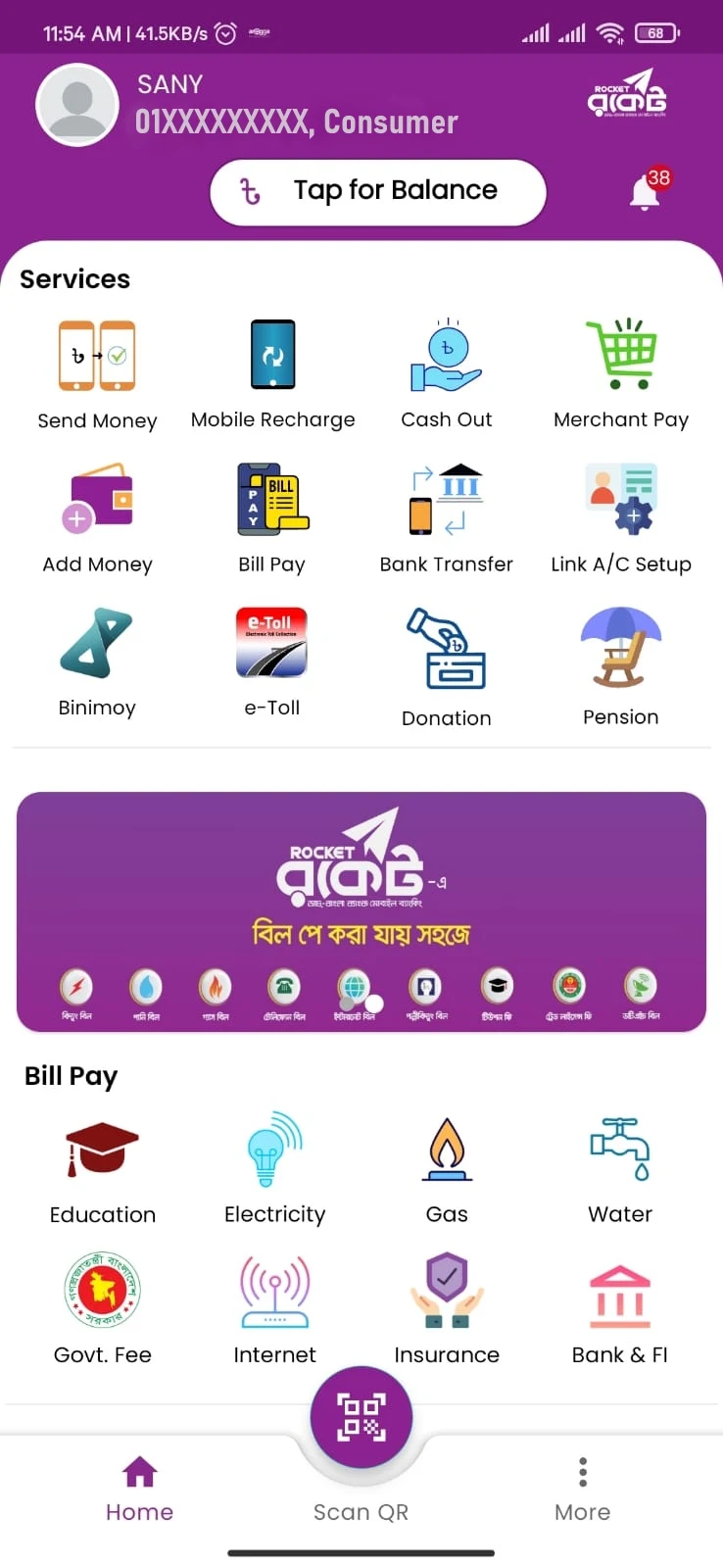
It is a mobile financial service offered by Dutch-Bangla Bank PLC (DBBL). It serves people across Bangladesh, including students, workers, business owners, and families. This guide covers Rocket APK download, key features, account registration, login, money transfers, cash withdrawals, and helpful tips for Android users.
What Is Rocket App?
Rocket App is the Android application package for the Rocket mobile financial service from Dutch-Bangla Bank. It gives users access to mobile banking services through a convenient app interface. Instead of visiting a bank branch for every small transaction, customers can complete many daily financial tasks using their phones.
The Rocket service is especially useful for sending money to family members, receiving funds, and paying for daily needs. Users can also access supported services through its USSD channel, which makes the service useful for people who do not always use mobile internet.
Rocket Android also focuses on simple financial services, account accessibility, and convenient transactions. Its connection with Dutch-Bangla Bank makes it a familiar name in Bangladesh’s mobile banking sector. You can also use the Nagad app.
Rocket App Information
| Details | Information |
|---|---|
| App Name | Rocket |
| Service Provider | Dutch-Bangla Bank PLC |
| Category | Mobile Financial Services |
| Country | Bangladesh |
| Platform | Android |
| Currency | Bangladeshi Taka (BDT) |
| Main Services | Send Money, Cash In, Cash Out, Bill Payments |
| Account Type | Mobile Financial Services Account |
| Internet | Required for app-based services |
| USSD Service | *322# |
| APK Price | Free to download |
| Latest Version | Check the official app listing |
Key Features of Rocket Mobile Banking App
Rocket brings several useful financial services into one place. Its mobile-friendly design helps customers manage common transactions without complicated steps.
Fast Money Transfers
Rocket allows users to send money to eligible accounts. This feature is useful for family support, personal payments, and other everyday financial needs. Users can enter the receiver’s account details, check the amount, and confirm the transaction.
Convenient Cash In and Cash Out
Users can add money to their accounts through authorized channels. They can also withdraw available funds using supported agents or other eligible withdrawal points. These services help customers move between cash and digital money.
Easy Mobile Recharge
Rocket makes mobile recharge simple for customers in Bangladesh. Users can select a supported mobile operator, enter the phone number, choose the recharge amount, and complete the payment from their available balance.
Utility Bill Payments
Rocket supports bill payment services for participating providers. Customers can use the available bill payment options to handle eligible household expenses. This helps reduce the need to visit separate payment counters.
Account Balance Checking
The Rocket app helps customers check their available balance and manage their accounts. Users can review relevant transaction information and keep track of their daily financial activity.
Merchant Payments
It also offers payment options for participating merchants. This feature helps customers make eligible purchases using their mobile financial accounts.
Mobile Banking Through USSD
The app offers a USSD service through *322#. Customers can use this channel to access supported mobile financial services without opening the Android app. Available menu options depend on the account and service.
Rocket App Download Guide for Android
Downloading the Rocket app is simple when you use an official source. Android users can look for the mobile banking application published by Dutch-Bangla Bank through Google Play.
Follow these steps to get started:
- Open the Google Play Store on your Android phone.
- Type Rocket Dutch-Bangla Bank in the search bar.
- Find the official application.
- Check the developer information before downloading.
- Tap the Install button.
- Wait for the app to finish installing.
- Open Rocket and follow the available account instructions.
If you need an APK file, use only a source provided or approved by Dutch-Bangla Bank. This helps protect your financial information.
How to Install Rocket APK on Android?
Google Play normally installs Rocket automatically. If Dutch-Bangla Bank provides an official standalone APK, users can follow these general installation steps.
- Download the official APK file.
- Open the Downloads folder on your phone.
- Find the downloaded APK.
- Tap the file to start installation.
- Allow installation from that source if Android requests permission.
- Complete the installation and open the app.
- Turn off the extra installation permission when finished.
Users who install Rocket through Google Play can skip the manual APK process.
How to Register a Rocket Account in Bangladesh
Rocket provides mobile financial accounts for eligible customers in Bangladesh. Account opening may require identity verification and other details under Dutch-Bangla Bank’s current registration rules.
The general process includes:
- Visit an authorized account-opening point or use an official registration channel if available.
- Provide your mobile number.
- Submit the required identity information.
- Complete the customer verification process.
- Follow the instructions to activate your account.
- Set your secure account PIN.
- Start using the available services.
The exact steps may change depending on the registration channel and current banking requirements.
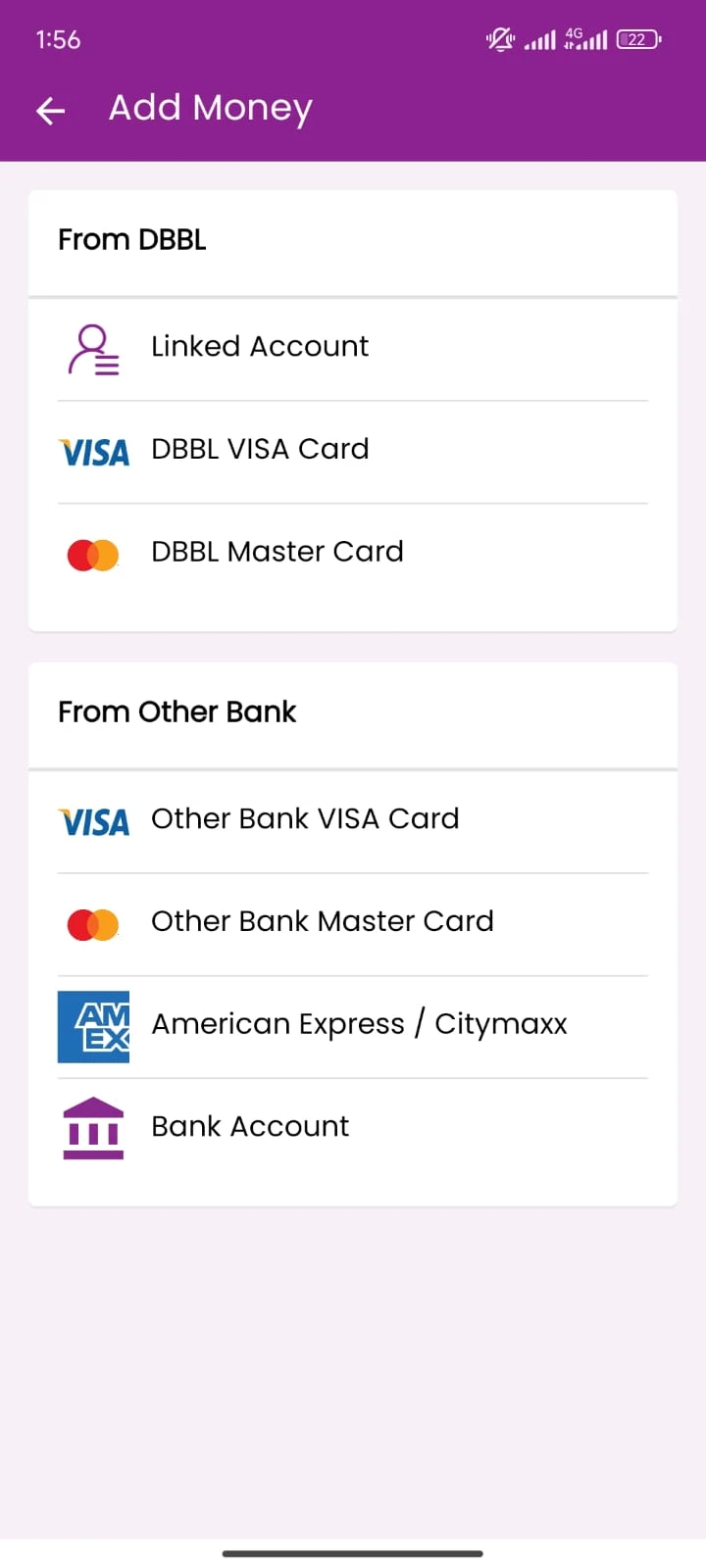
Rocket App Login Guide
Rocket users can access their mobile banking accounts through the official application. The login process is designed to help customers reach their financial services securely.
- Open the Rocket app.
- Select the available login option.
- Enter your registered account information.
- Complete the required PIN or identity verification.
- Access your account dashboard.
- Choose the service you want to use.
Keep your Rocket PIN private and avoid entering it on unfamiliar websites or applications.
How to Add Money to Rocket Account?
Adding money to Rocket is called Cash In. It allows customers to deposit Bangladeshi Taka into their mobile financial accounts through authorized agents and banking channels.
Here is how the process works:
- Visit a nearby authorized Rocket agent.
- Tell the agent how much money you want to deposit.
- Provide your correct Rocket account number.
- Give the cash amount to the agent.
- Wait while the agent completes the transaction.
- Check your confirmation SMS and account balance.
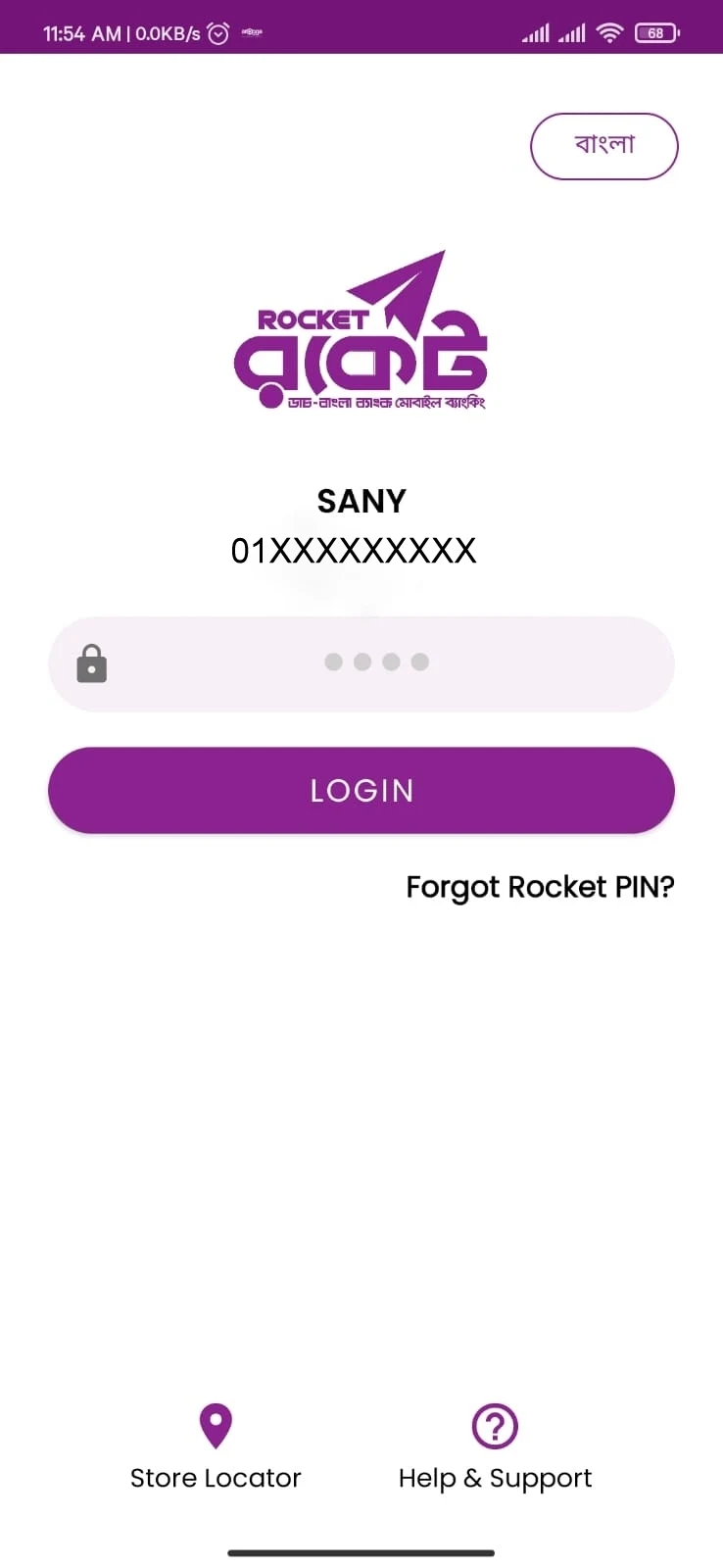
Rocket also supports adding money from eligible Visa or Mastercard cards through its app. Customers can choose the available option that best suits their needs.
How to Send Money Using Rocket?
Rocket makes it convenient to transfer money between eligible accounts. Whether you want to send money to a family member or pay someone for a personal expense, the Send Money feature helps you complete the transaction from your phone.
Follow these steps:
- Open the Rocket app and log in.
- Select the Send Money option.
- Enter the receiver’s Rocket account number.
- Type the amount you want to transfer.
- Review the account details and transaction amount.
- Confirm the transfer using the required security steps.
- Check the transaction confirmation.
Always review the receiver’s account number before confirming a transfer.
Rocket Cash Out and Withdrawal Guide
Rocket offers convenient cash withdrawal services through authorized agents, Dutch-Bangla Bank branches, and supported ATM locations.
For an agent withdrawal, follow these steps:
- Visit an authorized Rocket agent.
- Tell the agent your withdrawal amount.
- Provide the required account details.
- Wait for the withdrawal request on your registered phone.
- Review the amount and confirm with your PIN through the official system.
- Collect your cash from the agent.
- Check the confirmation message.
The available withdrawal amount depends on your balance and transaction limits. Its official instructions confirm that the agent starts the cash-out request and the customer authorizes it.
Rocket Transaction Charges and Fees
The app offers several everyday services at no customer charge, while certain withdrawals and transfers carry fees.
| Transaction | Published charge |
|---|---|
| General account opening | Free |
| General account cash in at agent | Free |
| Send money between same-product accounts | Free |
| General account cash out at agent | 1.67% |
| General account cash out at DBBL ATM | 0.9% |
| Mobile recharge | Free |
| Balance inquiry | Free |
| Merchant payment | Free |
These rates come from Dutch-Bangla Bank’s published charge schedule for general consumer accounts. Salary and stipend accounts may have different charges. Always check the latest fee schedule before completing a transaction.
Why Rocket Is Useful for Bangladeshi Users
Rocket brings several financial services into one convenient mobile platform. Its main benefit is that users can handle common payments and transfers without visiting a bank branch every time.
For example, a student living in Dhaka can receive money from family members in another district. A worker can use the app to receive eligible salary payments, while a household can pay supported utility bills through the service.
The app also supports Bangla and English, which helps users choose a familiar language. Customers can find nearby Dutch-Bangla Bank branches, ATMs, agents, and merchants using the app’s location features.
Helpful Tips for Rocket Users
A few simple habits can make mobile banking more convenient and secure.
- Keep your Rocket PIN private.
- Check account numbers before sending money.
- Use the official Rocket app for transactions.
- Review transaction fees before withdrawing cash.
- Save important transaction confirmation messages.
- Update the app through Google Play.
- Contact customer support at 16216 for account-related assistance.
Pros and Cons
| Pros | Cons |
|---|---|
| Backed by Dutch-Bangla Bank | App services need internet access |
| Supports Bangla and English | Cash-out fees apply |
| Easy money transfers | Registration requires identity verification |
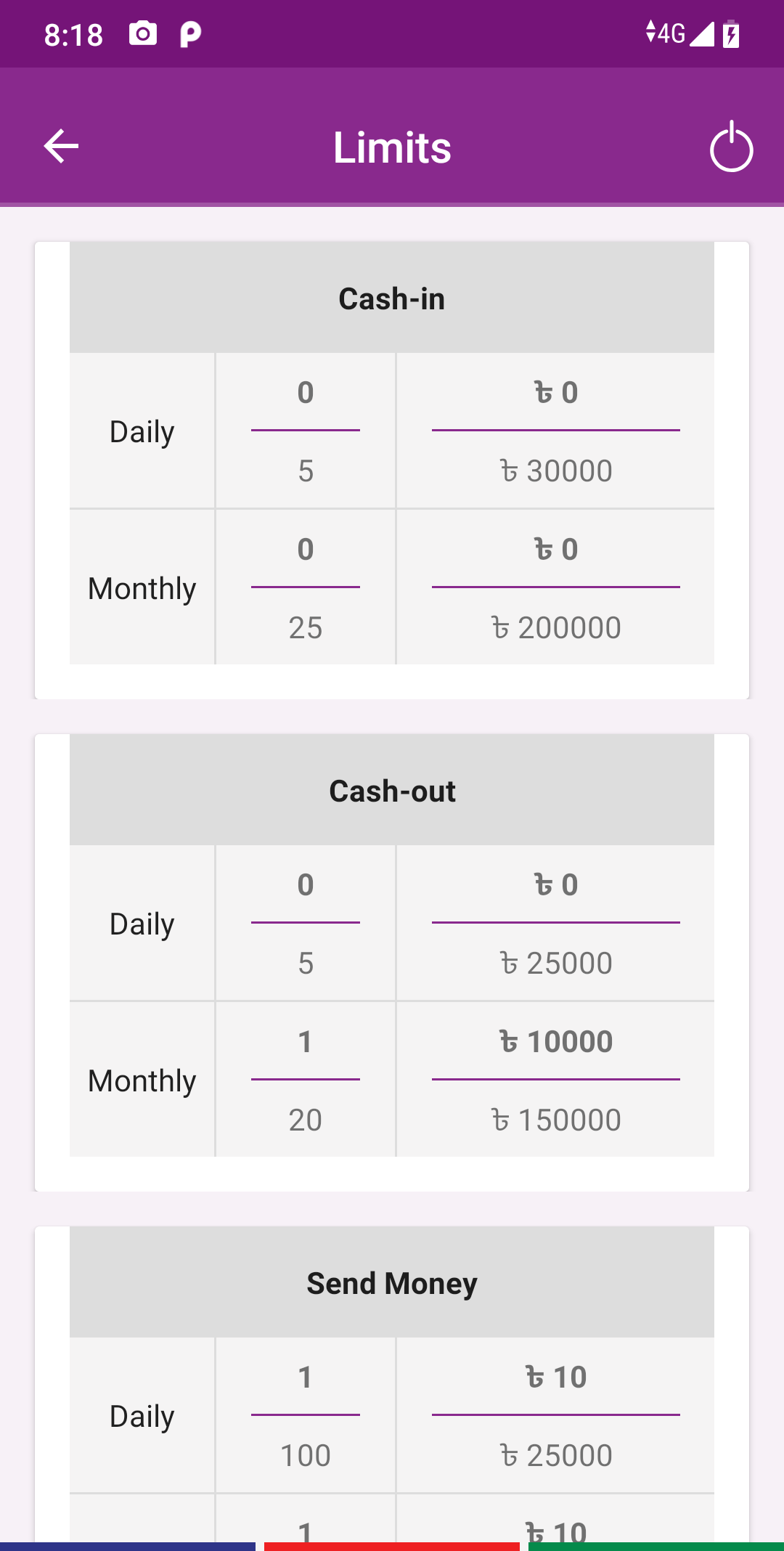
| Cash withdrawal through supported ATMs | Some services have transaction limits |
| Mobile recharge and bill payments | Merchant acceptance varies |
| Free account opening | Requires careful PIN management |
Conclusion
Rocket APK is a useful mobile banking application for people in Bangladesh who want to manage everyday financial tasks from their Android phones. From sending money and receiving payments to mobile recharge, cash withdrawals, and utility bills, it brings important services together.
With support from Dutch-Bangla Bank, convenient account features, and access to authorized banking channels, it remains a practical choice for mobile financial services in Bangladesh. Users can download the official app, register an account, and explore its available features to make daily money management easier.
FAQs
Yes. Rocket is a mobile financial service operated by Dutch-Bangla Bank PLC. It supports money transfers, cash deposits, withdrawals, mobile recharge, and other financial services.
Yes. Android users can install the official app from Google Play and access its available mobile banking features.
Yes. The app supports digital KYC self-registration through its official app. Eligible customers can use their original NID and a selfie to complete the required registration steps.
Yes. Rocket supports person-to-person transfers between eligible accounts. It also offers supported bank account and card transfer services.
Yes. Dutch-Bangla Bank states that opening an account is free.
Download links
How to install Rocket APK?
1. Tap the downloaded Rocket APK file.
2. Touch install.
3. Follow the steps on the screen.







