
Shohoz
1 Hour Ago
60 MB
7.24.0
Android 5.0 and above
20M+

Description
Travel planning in Bangladesh becomes much easier when tickets can be searched and booked directly from a phone. Instead of visiting a counter first, travelers can check routes, compare available options, choose a suitable trip, and manage tickets digitally. Shohoz brings many of these everyday travel tasks together in one platform.
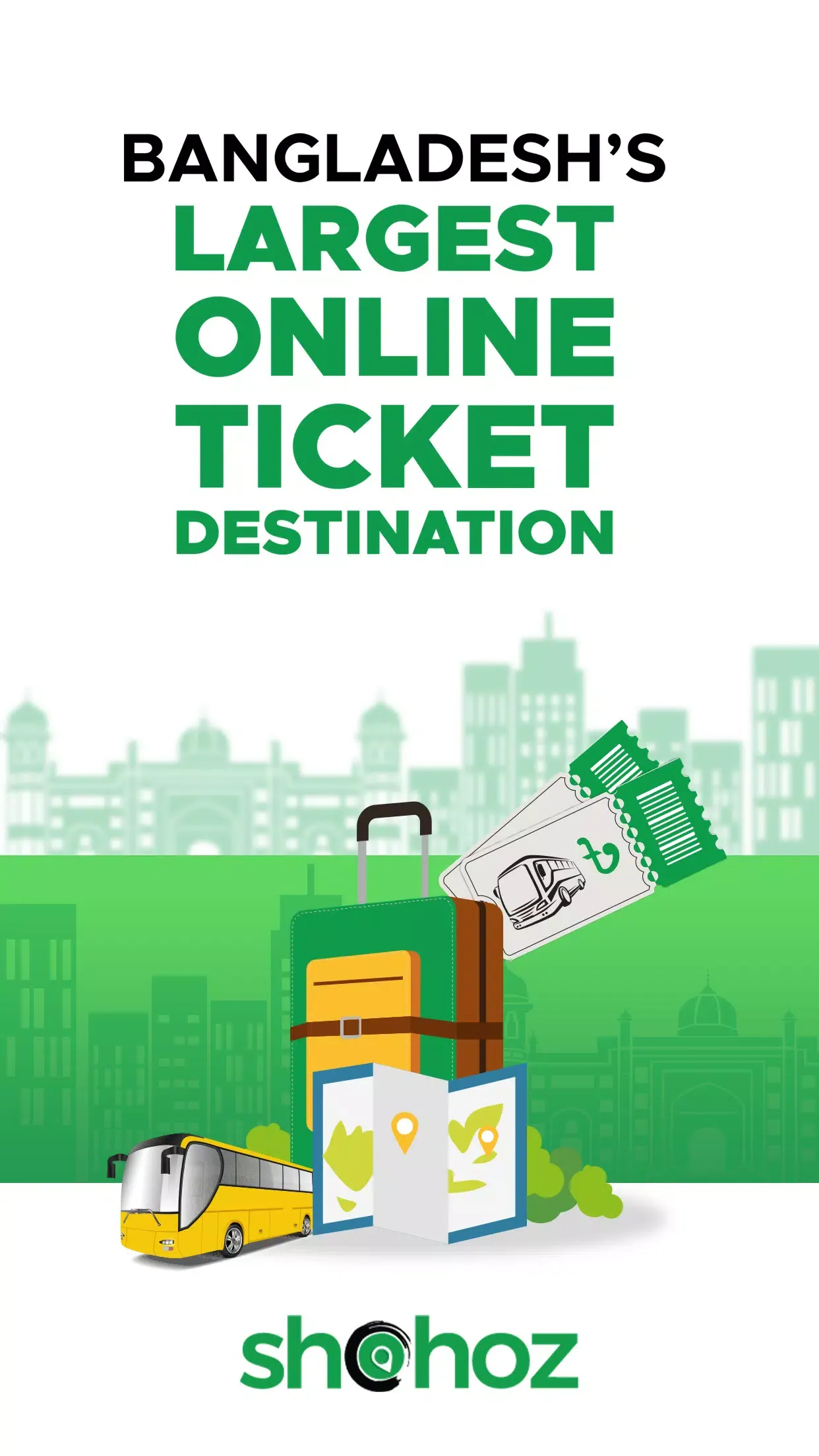
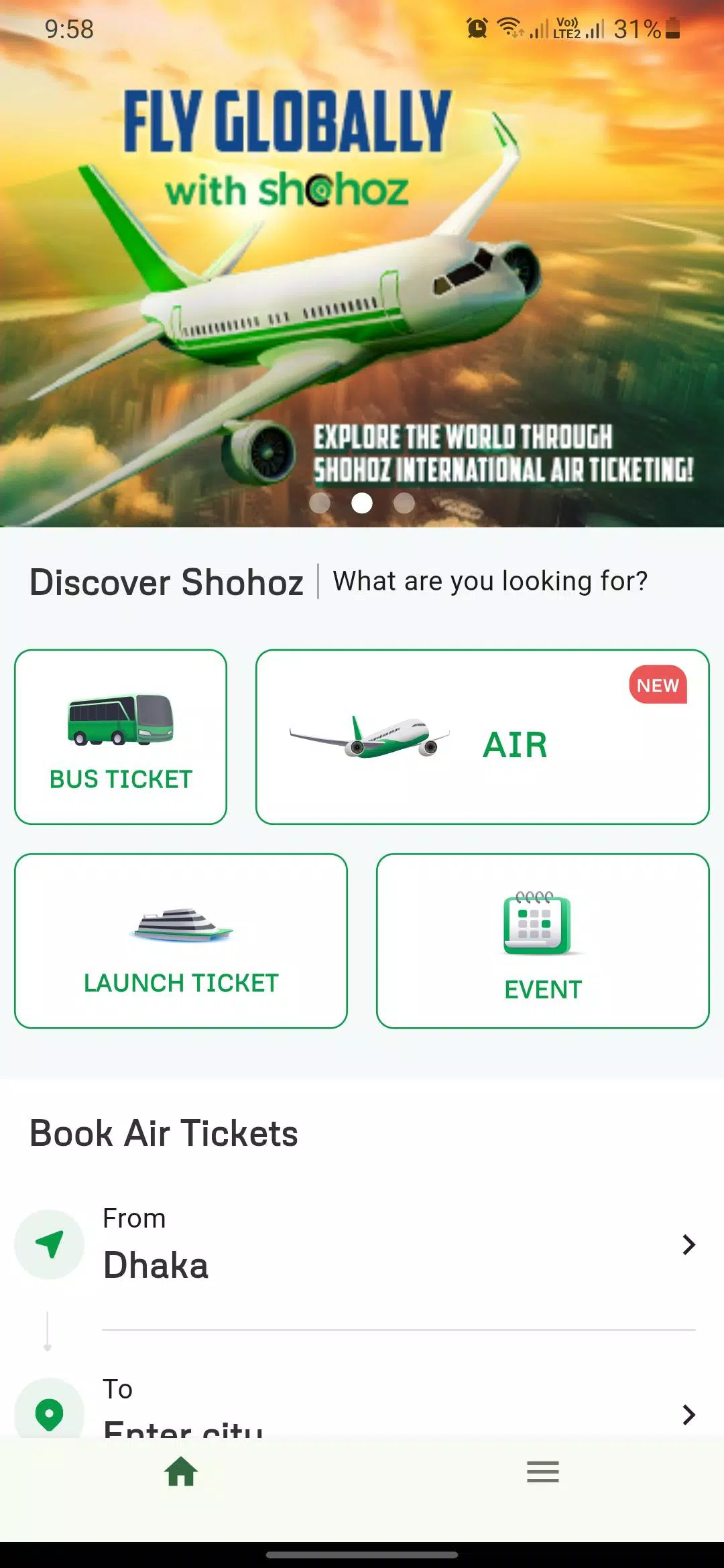
This Android app is built mainly around the needs of Bangladeshi travelers. It provides access to bus, air, launch, event, and amusement-park tickets, while the broader Shohoz platform also supports train ticket access. This makes it useful for people who travel between cities as well as users planning other trips and activities.
For Android users, the biggest advantage is convenience. You can start planning a journey from home, check available routes from your phone, choose an option that fits your schedule, and keep important booking information within easy reach.
What Is Shohoz APK?
The Shohoz travel app is the Android application package for Shohoz, a Bangladesh-focused online ticketing and travel platform. The current Shohoz app is designed for booking bus, air, launch, event, and amusement-park tickets from a mobile device.
The idea behind the app is simple: make ticket booking easier without requiring users to depend entirely on physical counters. Travelers enter their journey information, explore available options, select a suitable trip, and continue through the booking process.
Shohoz has also built a large network around this service. Its current website states that the platform covers more than 3,000 routes and works with more than 1,000 travel partners across its services.
If you often use public transport in Bangladesh, Rapid Pass is also worth exploring. It offers a convenient digital payment system for supported transport services, helping commuters manage everyday travel with less hassle.
How Does Shohoz App Work?
The booking process begins with basic travel information. Users select their starting point and destination, enter the journey date, and search for available travel options.
The results make it easier to compare what is available for the selected journey. For supported bookings, users can choose their preferred trip and seat before moving to payment. The Shohoz Android app also describes its launch-booking flow in three main stages: search, select, and pay.
After completing a supported booking, digital access to ticket information makes journey management more convenient. This is particularly useful for people who regularly travel between Bangladeshi cities.
My Experience With Shohoz App
What makes the Shohoz app useful is that it solves a very practical problem. When planning a trip, the important questions are usually simple: which services are available, what time do they leave, which seat can I choose, and how can I get the ticket?
Bringing these details together makes the process feel much more organized. Instead of checking every operator separately, travelers can begin their search from one platform and compare suitable choices.
I also like that this app has expanded beyond one type of ticket. A person may use it for an intercity bus journey today and return later when looking for a launch, flight, event, or another supported ticket.
Top Features of Shohoz Android APK
Online Bus Ticket Booking
Bus booking is one of the most useful parts of Shohoz for everyday travelers. Users can search available routes and operators from their phones rather than starting every journey at a physical ticket counter. Plus, the app currently says its platform provides access to more than 100 bus operators nationwide.
Route Search
A travel app becomes much more useful when users can quickly narrow down the choices relevant to their journey. It allows travelers to enter their origin, destination, and travel date before searching. This keeps the booking process focused. Instead of browsing unrelated services, you can see options connected with the trip you actually plan to take.
Seat Selection
For supported journeys, travelers can select a preferred seat during the booking process. This is particularly convenient for users who care about where they sit during a longer journey. Checking the available seat layout before completing a booking also gives travelers more control than simply receiving an automatically assigned seat.
Launch Ticket Booking
Water travel remains important on many routes in Bangladesh, and Shohoz also supports launch ticket booking. Its dedicated service allows travelers to search by origin, destination, and journey date before selecting a trip and seat. This brings another common form of Bangladeshi transport into the same digital ticketing environment.
Air Ticket Booking
Moreover, this helpful app also provides flight booking services. According to its current website, users can book air tickets through the website, app, or call center. Having air travel alongside ground and water transport makes the platform useful for different kinds of journeys rather than limiting it to bus travelers.
Train Ticket Access
The app website also provides access to Bangladesh Railway ticket services. It states that Bangladesh Railway tickets are available online through its train-ticket section. This adds another important transport option for people comparing ways to travel between destinations.
Event Tickets
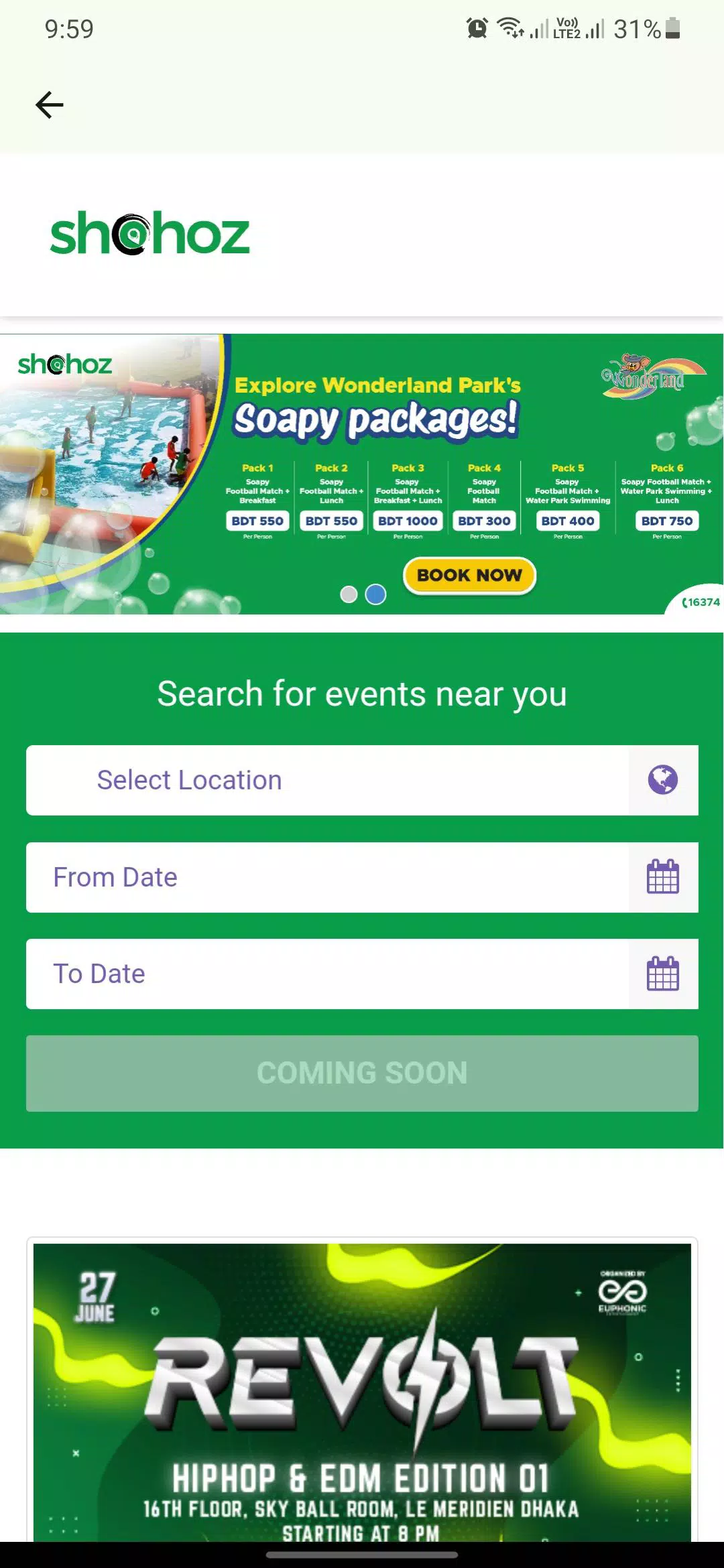
Travel is not the only reason someone may open the application. The platform also supports event ticketing, including entertainment, sports, and other available events. This broadens Shohoz from a simple transport-booking tool into a more general ticketing platform.
Amusement Park Tickets
Users can also find supported amusement-park tickets through this amazing app. This can be convenient for families or groups planning recreational activities and wanting to arrange tickets before reaching the venue.
Digital Ticket Access
Digital ticket access makes travel management easier after booking. It highlights easy access to tickets through its mobile app, which can reduce the need to manage separate paper information for every journey. Keeping your booking details available on your phone is especially convenient when you travel frequently.
Departure Alerts
The mobile experience also highlights alerts before departure. These reminders can be useful when preparing for a journey because important travel information stays closer to the traveler.
Tickets You Can Explore on Shohoz APK
The app covers several types of travel and activity tickets, which gives users more options from the same platform.
| Ticket Type | Main Use |
|---|---|
| Bus | Intercity and supported bus journeys |
| Train | Bangladesh Railway travel |
| Air | Domestic and supported flight booking |
| Launch | Water-route travel |
| Event | Available concerts, sports and other events |
| Park | Supported amusement-park entry |
Availability naturally depends on the selected route, operator, date, event, and current inventory.
Why Shohoz App Is Useful in Bangladesh
Bangladesh has a large number of people traveling regularly between Dhaka and other cities and districts. Bus, train, launch, and air services all play different roles depending on the route.
The app makes this environment easier to navigate digitally. Rather than treating every journey as a completely separate process, travelers have a central platform where several ticketing services can be accessed.
Its Bangladesh focus is particularly important. The platform is built around local routes, operators, transport choices, and the practical requirements of people traveling within the country.
Shohoz for Android Users in Bangladesh
The Android app makes travel planning portable. You can search for a journey while at home, at work, or anywhere else where you have a suitable internet connection.
This is especially convenient when plans change. Instead of needing a computer or immediately traveling to a counter, you can open your phone and check the currently available options.
Shohoz’s Google Play listing was updated in August 2026 and currently describes the main app as a one-stop option for bus, air, launch, event, and amusement-park tickets.
How to Search for a Trip?
Before searching, decide your departure location, destination, and preferred travel date. Accurate information helps this app display more relevant options.
Once results appear, compare the available trips rather than immediately selecting the first one. Check the operator, departure details, available seats, and other information shown for the journey.
After finding a suitable choice, continue to seat selection and payment according to the options available for that particular booking.
How to Download and Install Shohoz APK?
Android users can install the official app with a few simple steps:
- Open Google Play on your Android phone.
- Search for Shohoz.
- Check the app name and developer.
- Open the correct Shohoz listing.
- Tap Install.
- Wait for the download to complete.
- Allow Android to finish installation.
- Open the Shohoz app.
- Complete the required setup.
- Start searching for your ticket.
The current main Shohoz listing is published by Shohoz.com and is categorized under Travel & Local on Google Play.
Creating and Managing a Shohoz Account
An account makes it easier to access supported booking and ticket-management features. This app currently uses a unified account approach across services such as Bus, Air, and Park.
To get started:
- Open the app.
- Find the login or account section.
- Enter the requested information.
- Complete verification if required.
- Sign in to your account.
- Search for your journey.
- Keep your booking details accessible after purchase.
Existing users should use their registered details when returning to the platform.
How to Book a Bus Ticket With Shohoz App
Bus booking becomes easier when you prepare your travel details before starting.
- Open Shohoz.
- Select the bus ticket section.
- Choose your starting location.
- Enter your destination.
- Select the journey date.
- Search available buses.
- Compare suitable operators and times.
- Choose your preferred trip.
- Select an available seat.
- Continue to payment and confirm the booking.
Shohoz says its bus network includes more than 100 operators, giving users a broad selection across supported routes.
Payment Options on Shohoz
Payment options can vary depending on the ticket and service being booked. Shohoz’s current launch-ticket page lists bank cards and mobile banking as supported payment methods. Its bus-app information also mentions credit/debit cards, internet banking, and mobile banking.
Before confirming payment, users should review the final booking details carefully. Checking the route, date, departure information, selected seat, passenger details, and displayed amount can help keep the process organized.
Once payment is complete, keep the booking confirmation and ticket information available for the journey.
Managing Your Tickets
Booking the ticket is only one part of travel planning. Its mobile app is also designed to make tickets easier to access after purchase.
The company highlights faster booking, departure alerts, easy ticket access, and digital tickets as advantages of using its mobile app.
Before leaving for your trip, open the relevant booking and check the departure details again. This gives you time to prepare and reach the boarding location comfortably.
Tips for a Better App Experience
A few simple habits can make ticket booking smoother:
- Enter your route carefully.
- Double-check the journey date.
- Compare available travel options.
- Check departure and boarding information.
- Select your preferred seat when available.
- Review passenger details before payment.
- Confirm the final amount shown.
- Keep your booking information accessible.
- Check your ticket before leaving for the terminal.
- Keep the Shohoz app updated.
Planning a little earlier can also give you more choices, particularly when traveling around busy periods.
Planning a Journey With Shohoz App
A good booking begins before you press the payment button. Think about when you want to arrive at your destination, not only when you want to leave.
For longer journeys, departure time and seat choice can make a noticeable difference. Travelers may also want to compare different available operators or transport types before deciding.
Once the ticket is booked, save the important journey information and prepare to reach the departure point with enough time before boarding.
Shohoz App for Bangladeshi Travelers
The app feels particularly relevant because its services are centered on transportation and ticketing in Bangladesh. The platform connects travelers with routes and operators that form part of everyday movement around the country.
A student traveling home, a worker visiting another city, a family planning a holiday, or someone attending an event may all have different needs. A platform containing several ticket categories can serve these different situations.
That is what gives Shohoz broader usefulness. It is not simply an app you open once; frequent travelers can return whenever they need to plan another supported journey.
Shohoz App vs Ticket Counter
Traditional ticket counters remain familiar, but online booking offers a different kind of convenience. A physical counter requires you to travel to its location, while Shohoz lets you begin the search directly from your phone.
Online booking also makes comparison easier. You can review available options and, for supported journeys, select seats before completing the purchase.
For users with busy schedules, this flexibility can make travel preparation much simpler.
Travel Planning During Busy Periods
Ticket demand can increase around holidays, festivals, weekends, and other busy travel periods. Searching earlier can help travelers see the available choices before their preferred options become limited.
When planning an important trip, check the date carefully and confirm your booking information once the purchase is complete.
Keeping the digital ticket easy to reach on your phone can also save time when you are preparing to board.
Pros and Cons
Pros
- Built for Bangladeshi travelers.
- Online bus ticket booking.
- Large selection of routes.
- Multiple bus operators.
- Seat selection on supported journeys.
- Launch ticket service.
- Air ticket booking.
- Train ticket access through the platform.
- Event ticket options.
- Amusement-park ticketing.
- Digital ticket access.
- Mobile-friendly travel planning.
Cons
- Ticket availability depends on routes and operators.
- Internet access is needed for online booking.
- Available seats can become limited during busy periods.
- Payment choices can vary by service.
- Cancellation and migration conditions depend on the applicable ticket and operator rules.
Is Shohoz APK Safe to Use?
Shohoz has an official Android listing on Google Play. According to the developer’s current Google Play Data Safety declaration for the main app, data is encrypted in transit and users can request deletion of their data. The listing also says the app may collect personal information, app information and performance data, and device or other IDs.
Users should still protect their account information and check booking details carefully before making a payment. Installing the current app from its official listing also makes it easier to identify the correct version.
When booking travel, keep your confirmation and ticket details available until the journey is complete.
Who Should Use Shohoz App?
Shohoz is useful for people in Bangladesh who regularly travel by bus, train, launch, or air and prefer handling travel arrangements digitally.
It can also be helpful for occasional travelers. Someone planning a holiday, visiting family, traveling for university or work, or attending an event can search for relevant ticket options without making a separate trip to a counter first.
People who value seat selection, digital tickets, route comparison, and mobile booking are likely to find the platform especially practical.
Why Shohoz Is More Than a Bus Ticket App
It is often associated with bus tickets, but its current platform goes much further. Bus travel remains an important service, yet users can also access flight, launch, train, event, and amusement-park ticketing across the broader Shohoz ecosystem.
This wider selection makes Shohoz useful at different stages of travel and leisure planning. You might use it for a bus journey one month and return later when arranging a flight or event.
Bringing several ticket categories together gives the platform a clear advantage for users who prefer managing plans digitally.
Conclusion
No doubt, Shohoz APK provides Bangladeshi travelers with a practical way to search and manage tickets from an Android device. Its combination of bus, air, launch, event, and amusement-park booking, alongside train-ticket access on the wider Shohoz platform, covers many common travel needs.
The strongest part of this app is convenience. Travelers can search routes, explore available operators, select supported seats, complete a booking, and keep digital ticket information accessible without making the entire process dependent on a physical counter.
FAQs
Yes. Bus ticket booking is one of Shohoz’s main services, with more than 100 bus operators listed across its network.
Shohoz supports seat selection for applicable bookings, allowing travelers to choose from currently available seats.
Yes. The app provides online launch ticket booking for supported routes and services.
Yes. The app currently offers air-ticket booking through its platform.
No. In addition to transport tickets, Shohoz also provides supported event and amusement-park ticketing.
Download links
How to install Shohoz APK?
1. Tap the downloaded Shohoz APK file.
2. Touch install.
3. Follow the steps on the screen.







